Bring in your stream
Connect your own Twitch channel and add the stream material and notes you want to use. Available audio is processed locally.
 CatchUp
Stream context for new and returning viewers
CatchUp helps you find your way into a Twitch stream with the current context and the recent story behind it.
Private GitHub preview. Repository access is required.
Windows x64 · Python 3.12 · Internet for first setup
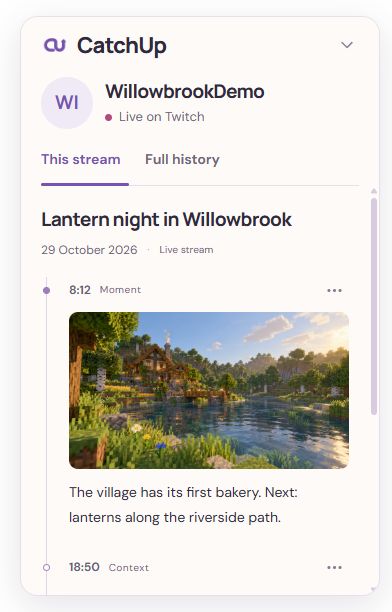
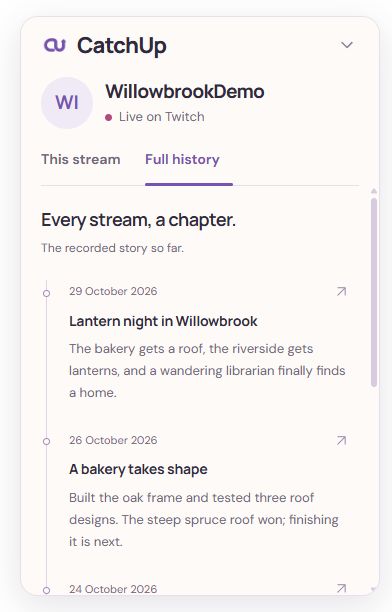
The viewer experience
A short catch-up when you need it, with earlier streams there when you want more context.
For creators
The local companion prepares the story from your stream material and notes. You control what’s shared.
Connect your own Twitch channel and add the stream material and notes you want to use. Available audio is processed locally.
Review the draft, publish useful context and decide which transcript excerpts to share. Original recordings and full transcripts stay on your computer.
Add a note, correct a detail or retract a publication as things change. Published moments retain their connection to the source.
Windows local companion · v0.1.2 preview
Explore the creator-to-viewer flow locally, with a rehearsal to get comfortable before connecting your own stream.
View the GitHub releaseGitHub access required. The code and release are currently private. You’ll need repository access to download the preview.
Windows x64, Python 3.12 x64 and internet for the first dependency setup.
The default rehearsal needs no Twitch credentials, microphone or model download. Capture starts off.
Coming soon
The official Twitch Extension is currently in limited Hosted Test. Public installation isn’t available yet. The local companion can be used beside Twitch today.